
PartnerTech Kitchen Display Systems (KDS)
Kitchen display hardware for clearer order flow, preparation tracking, and smoother service.
PartnerTech Kitchen Display Systems help restaurants, hotels, cafés, bars, and quick-service kitchens manage orders more clearly between the front of house and the kitchen.
They can support kitchen order visibility, preparation workflows, order status tracking, and communication between service staff and kitchen teams.
Solutech helps select, supply, install, configure, and support PartnerTech KDS hardware as part of a complete POS and kitchen workflow environment across Curaçao and the Caribbean.
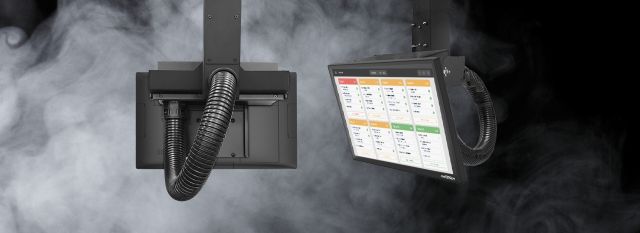
- Kitchen order visibility
- Prep station workflows
- Hospitality kitchen use
- Installed & supported by Solutech
Kitchen display systems for smoother preparation flow
PartnerTech Kitchen Display Systems help kitchen teams view and manage orders digitally instead of relying only on printed tickets. Depending on the software and setup, a KDS can help route orders, track preparation status, reduce confusion, and improve timing between the kitchen and service team.
Best suited for
- Restaurants
- Hotels and resorts
- Cafés and bars
- Quick-service restaurants
- Beach clubs
- Food courts
- High-volume kitchens
- Kitchens with multiple prep stations
Built for busy kitchen workflows
Kitchen order visibility
Kitchen display systems can help staff see incoming orders clearly and manage preparation without relying only on paper tickets.
Prep station routing
Orders can be organised across different kitchen areas depending on the POS software, menu setup, and operational workflow.
Service timing support
A KDS setup can help teams track order progress, reduce missed communication, and improve coordination between kitchen and front-of-house staff.
The display system needs to fit the kitchen workflow
A kitchen display setup needs to work with the POS software, network, mounting location, kitchen routing rules, printers, bump bars, power, and daily preparation flow. Solutech helps check the full environment before installation.
POS and kitchen routing compatibility
The KDS needs to work smoothly with the POS software's menu structure, kitchen routing rules, and order flow.
Mounting and station placement
Wall, counter, and station placement all shape whether the display is visible and practical during service.
Peripheral, printer, and network setup
Bump bars, printers, network equipment, and cabling need to be planned so the kitchen setup performs reliably day to day.
Professional display hardware for demanding kitchen environments
Hardware features
- Kitchen display system options for business use
- Suitable for restaurant and hospitality kitchen workflows
- Supports kitchen order visibility and preparation tracking depending on software setup
- Can be combined with mounts, stands, bump bars, printers, and accessories
- Useful for prep stations, expo stations, bars, quick-service kitchens, and high-volume environments
- Helps reduce paper dependency and kitchen communication gaps
- Designed for daily commercial use
- Supported locally by Solutech
Solution overview
- Product type
- Kitchen Display Systems
- Primary use
- Kitchen order visibility, preparation workflows, order routing, and service timing
- Best suited for
- Restaurants, hotels, cafés, bars, quick-service kitchens, food courts, and high-volume hospitality operations
- Setup options
- Wall-mounted, counter-mounted, station-based, or kitchen-line display setup depending on configuration
- Peripheral use
- Can be combined with bump bars, printers, mounts, stands, network equipment, and installation accessories
- Support
- Supplied, installed, configured, and supported by Solutech
Local advice, installation and support
Choosing the right PartnerTech kitchen display setup is only part of the solution. Solutech helps select the right display hardware, plan the kitchen layout, install and configure the setup, connect peripherals, and provide local support after deployment.
- KDS hardware selection
- Installation & configuration
- Kitchen workflow setup
- Local support
Explore Oracle MICROS Hardware
Workstations, tablets, kiosks, kitchen displays, and POS peripherals for Oracle Simphony environments.
View Oracle productsExplore Elo Hardware
Touchscreen POS terminals, monitors, tablets, kiosks, displays, and peripherals.
View Elo productsLet Solutech help you choose the right PartnerTech KDS solution.
Whether you need kitchen order screens, prep station displays, expo screens, or a complete kitchen display workflow, Solutech can help you choose and configure the right PartnerTech setup.
PartnerTech is a professional POS hardware brand. Solutech provides local advice, hardware supply, implementation, installation, configuration, and support. Product names and trademarks belong to their respective owners.